
Image Editor
Free app for editing images and photos
Free app for editing images and photos
Last updated: 2026-11-02
Image editors developed from programs for drawing shapes, painting with pixels, and working with photographs. Tools that once needed a research computer are now available on a personal computer, phone, or web browser.
This guide follows some of the earliest drawing and painting systems, then the desktop editors that brought these tools to more people. Each example shows what the program let its users do.
These are selected milestones. A research prototype, a working demonstration, and a commercial release can have different dates. The dates below identify the event being described.
Ivan Sutherland described Sketchpad in his 1963 doctoral thesis. A user could draw lines and circles directly on a screen with a light pen, then point to parts of the drawing to move or change them. Sketchpad worked with geometric shapes. It was an early interactive drawing system, rather than a photo editor. Sutherland's thesis explains how the light pen and buttons worked together.
Paint programs took a different approach: they changed the small picture elements, or pixels, that make up an image. In his history of digital paint systems, Alvy Ray Smith dates Joan Miller's Bell Labs paint program to 1969-1970. It used a small set of colors and stored the picture in a frame buffer, a section of computer memory that holds an image for display.
Richard Shoup began SuperPaint at Xerox PARC in 1972. It displayed its first picture in April 1973. Over the following years, the system combined painting tools with ways to fill areas, move and copy parts of an image, add text, and capture pictures from video. Shoup describes this development in his account of SuperPaint.
SuperPaint was an early example of several familiar editing tools working together. A user could bring an image into the computer and work on its pixels, as well as paint a new picture. The Computer History Museum's recollections of early paint systems include a presentation by Shoup and Smith about this work.
At the New York Institute of Technology, Smith developed Paint in 1975-1976, followed by Paint3 in 1977. Paint3 worked with red, green, and blue color components, allowing a much wider range of colors. Smith's development timeline places these programs among several paint systems being built at research institutions during the 1970s.
MacPaint shipped with the Macintosh in January 1984. Written by Bill Atkinson, it kept drawing tools in visible palettes and let people work with a mouse. Its Paint Bucket filled an enclosed area, the Lasso selected an irregular shape, and Fat Bits enlarged part of the picture so individual pixels could be edited. The Computer History Museum preserves MacPaint's source code and development history.
MacPaint worked in black and white. Patterns could suggest gray or texture, while the enlarged pixel view helped with small details. Choosing a tool, selecting part of a picture, and zooming in to make a careful change are still common editing tasks.
Dan Silva created DeluxePaint at Electronic Arts in 1985. It began as an internal tool for game artwork and was released for the color Amiga computer that year. Artists could choose colors and brushes, then combine mouse actions with keyboard commands. The museum's DeluxePaint collection includes early manuals and an account of how the program developed.
Photoshop grew from Thomas Knoll's Display program in 1987. Thomas and his brother John developed it into an image editor, and Adobe released Photoshop 1.0 for the Macintosh in 1990. The Computer History Museum's Photoshop exhibit follows this path from the early program to the commercial product.
In an interview about the early versions, Thomas describes combining separate image-processing utilities into one application. Controls such as Levels let users change the tones in an image. The first version mainly served publishing and graphic design; scanners, inkjet printers, and later digital cameras helped expand its use for photography.
Photoshop 3.0 added layers in 1994. Layers let users keep parts of a composition separate and edit them independently. Adobe includes this release in its Photoshop history.
Spencer Kimball and Peter Mattis developed GIMP, with a beta announced in November 1995. It already offered selection tools, painting, image transformations, filters, plug-ins, and undo. Version 0.54 followed in February 1996. The project's original announcements preserve both dates and describe what those early versions could do.
GIMP is free software under the GNU General Public License. Users can study and modify the program, as well as use it to edit images.
Web applications offered another way to edit photos. Adobe's March 2008 announcement of the Photoshop Express beta described cropping, resizing, black-and-white conversion, and effects in a browser. That service used the Flash browser plug-in and included online photo storage and sharing.
Browser editors have different ways of handling an image. In Image Editor, opening, decoding, editing, and rendering happen locally in your browser. Google Drive actions transfer files to or from Google. See Privacy and your files for more about how Image Editor works.
Many of the tasks in these early programs are still useful: choose a tool, change part of an image, adjust its color, or enlarge the view to inspect a detail. Current editors combine these operations with previews and controls that make it easy to try a change and compare the result.
To try these tools on your own photos, continue with the illustrated guides:
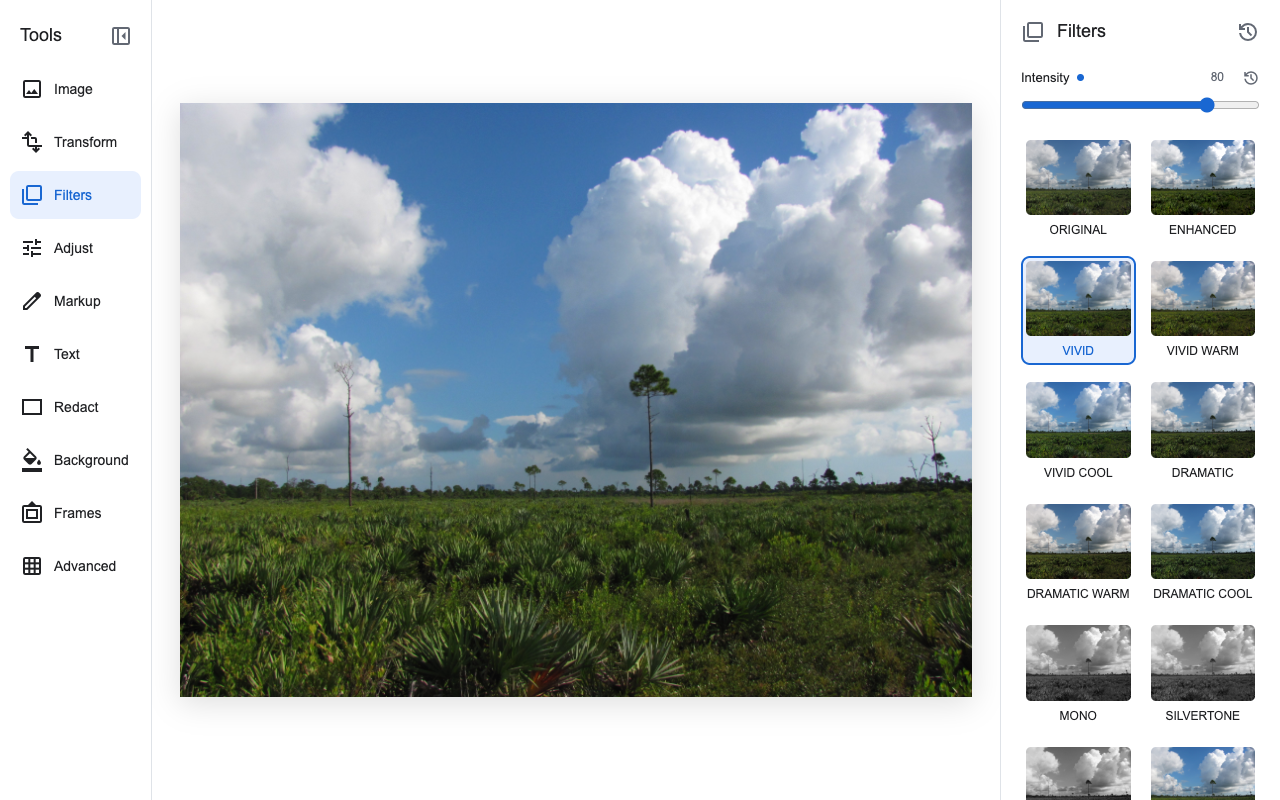
The links above lead to the original research, developers' accounts, release announcements, and museum collections used for this history. The screenshot shows the current Image Editor with a public-domain photograph.